1. 系統概述 (System Overview)
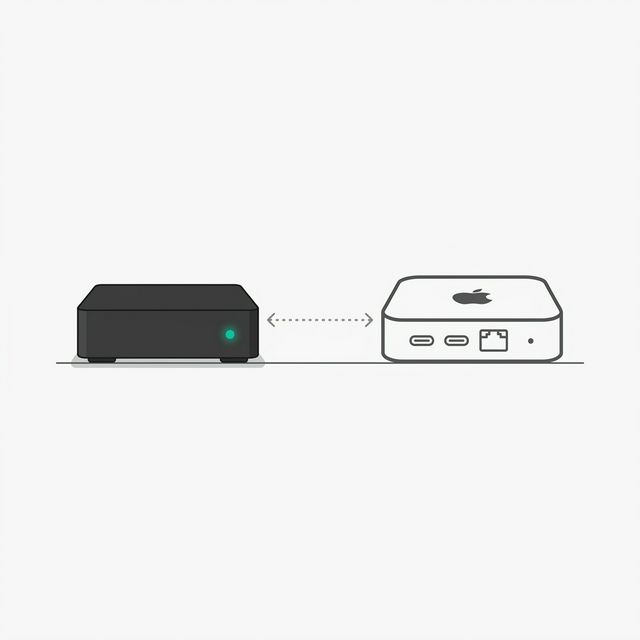
專案背景:把閒置電視盒變成 AI 節點,作為 Mac mini M4 的遠端執行手臂。
設備規格:
| 項目 | 規格 |
|---|---|
| 型號 | Droidlogic X10 |
| 系統 | Android 11 armv8l |
| CPU | Amlogic 4 核心 @ 2.004GHz |
| RAM | 2GB(可用約 903MB) |
| SSH Port | 8022(Termux) |
| IP | 192.168.68.108 |
技術棧:
| 層 | 技術 |
|---|---|
| 電視盒 OS | Android 11 + Termux |
| AI Runtime | ZeroClaw(輕量版 OpenClaw) |
| 遠端連線 | SSH tunnel + openclaw tui |
| 開機自啟 | Termux:Boot |
2. 架構設計 (Architectural Design)
Mac mini M4(大腦)
  ↓ SSH tunnel (-L 18790:127.0.0.1:18789)
X10 電視盒(觸手)
  └── Termux → ZeroClaw gateway(port 18789)
- Mac mini:跑 LLM 邏輯推理、決策、主要工作
- 電視盒:輕量執行節點,本地任務、數據採集
3. 安裝步驟 (Detailed Design)
Step 1:安裝 Termux
重要:不要用 Google Play(版本太舊),用 F-Droid:
https://f-droid.org/zh_Hant/packages/com.termux/
下載 APK → 用電視盒檔案管理器安裝。若 UI 攔截,用 ADB 從 Mac 強制安裝:
brew install --cask android-platform-tools
adb connect 192.168.68.108:5555
adb install com.termux_118.apk
Step 2:初始化環境
termux-change-repo      # 換源(選清華或阿里)
pkg update && pkg upgrade -y
pkg install openssh -y
passwd                  # 設定 SSH 密碼
sshd                    # 啟動 SSH(port 8022)
Step 3:安裝 ZeroClaw
電視盒 RAM 不夠自行編譯,在 Mac 上 build 好再傳過去:
# Mac 上
git clone https://github.com/OpenClaw/OpenClaw.git ~/Downloads/OpenClaw_Build
cd ~/Downloads/OpenClaw_Build
npm install && npm run build
scp -P 8022 -r ./dist root@192.168.68.108:~/ZeroClaw/
電視盒上安裝依賴:
cd ~/ZeroClaw
pnpm install --prod --ignore-scripts
Step 4:建立啟動腳本
cat > ~/start_claw.sh << 'EOF'
#!/data/data/com.termux/files/usr/bin/bash
export NODE_OPTIONS="--max-old-space-size=384"
export GATEWAY_CONTROL_UI_DANGEROUSLY_ALLOW_HOST_HEADER_ORIGIN_FALLBACK=true
cd ~/ZeroClaw
node openclaw.mjs gateway run
EOF
chmod +x ~/start_claw.sh
4. 已知問題與解法 (Interface Control)
問題 1:Control UI assets missing,卡在 build
[gateway] Control UI assets missing; building (ui:build, auto-installs UI deps)…
原因:2GB RAM 不夠跑 UI build,會無限卡住。
解法:建假資料夾騙過檢查:
mkdir -p ~/ZeroClaw/dist/control-ui
touch ~/ZeroClaw/dist/control-ui/index.html
問題 2:SSH tunnel port 衝突
bind [127.0.0.1]:18789: Address already in use
原因:本機 18789 已被自己的 OpenClaw 佔用。
解法:改用其他 port:
ssh -N -L 18790:127.0.0.1:18789 -p 8022 root@192.168.68.108問題 3:TUI 連線安全錯誤
SECURITY ERROR: Gateway URL uses plaintext ws:// to a non-loopback address.
解法:用 SSH tunnel,連 loopback 即可:
openclaw tui --url ws://127.0.0.1:187905. 開機自啟 (Termux:Boot)
- F-Droid 安裝 Termux:Boot
- 打開 Termux:Boot app 一次(取得開機權限)
- 建立啟動腳本:
mkdir -p ~/.termux/boot
cat > ~/.termux/boot/start.sh << 'EOF'
#!/data/data/com.termux/files/usr/bin/bash
sleep 10
sshd
cd ~/ZeroClaw
bash ~/start_claw.sh
EOF
chmod +x ~/.termux/boot/start.sh注意:EOF 必須頂格,前面不能有空格。
6. 日常連線流程
# Terminal 1(保持 tunnel)
ssh -N -L 18790:127.0.0.1:18789 -p 8022 root@192.168.68.108

# Terminal 2(TUI)
openclaw tui --url ws://127.0.0.1:18790
資源監控:
pkg install htop -y
htop
7. 相關連結
- ZeroClaw Repo:
https://github.com/OpenClaw/OpenClaw - Termux F-Droid:
https://f-droid.org/zh_Hant/packages/com.termux/